How to Activate New Calendar from the App

The New Calendar can be activated either through the App by the Technician or in the Command Center.
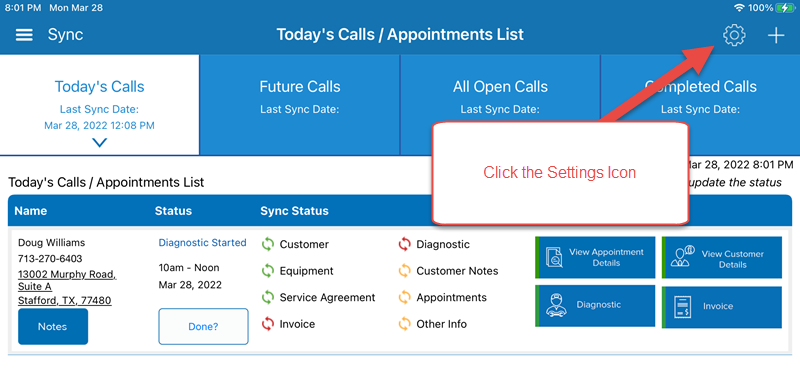
Here are the steps for the Technician to switch to the new calendar view.
From the Old View, Click on the Settings/Gear Icon
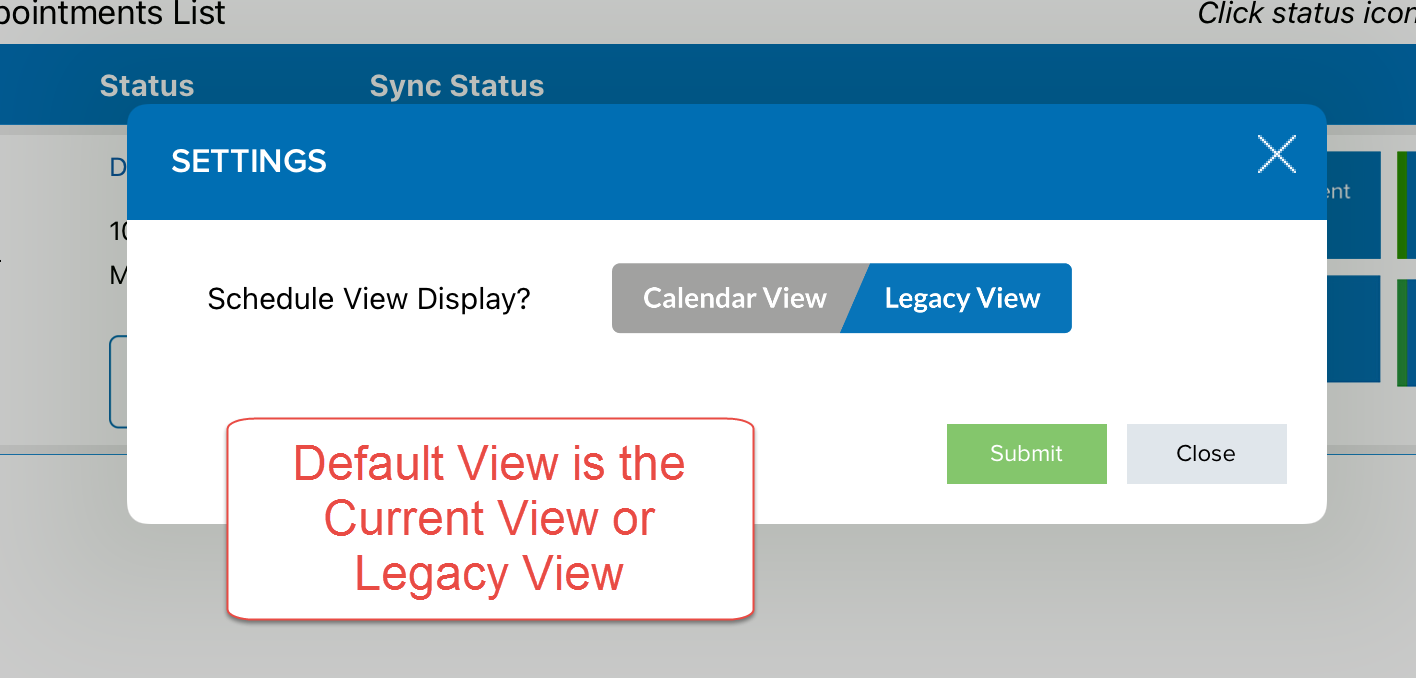
The Default/Current View is the Legacy View
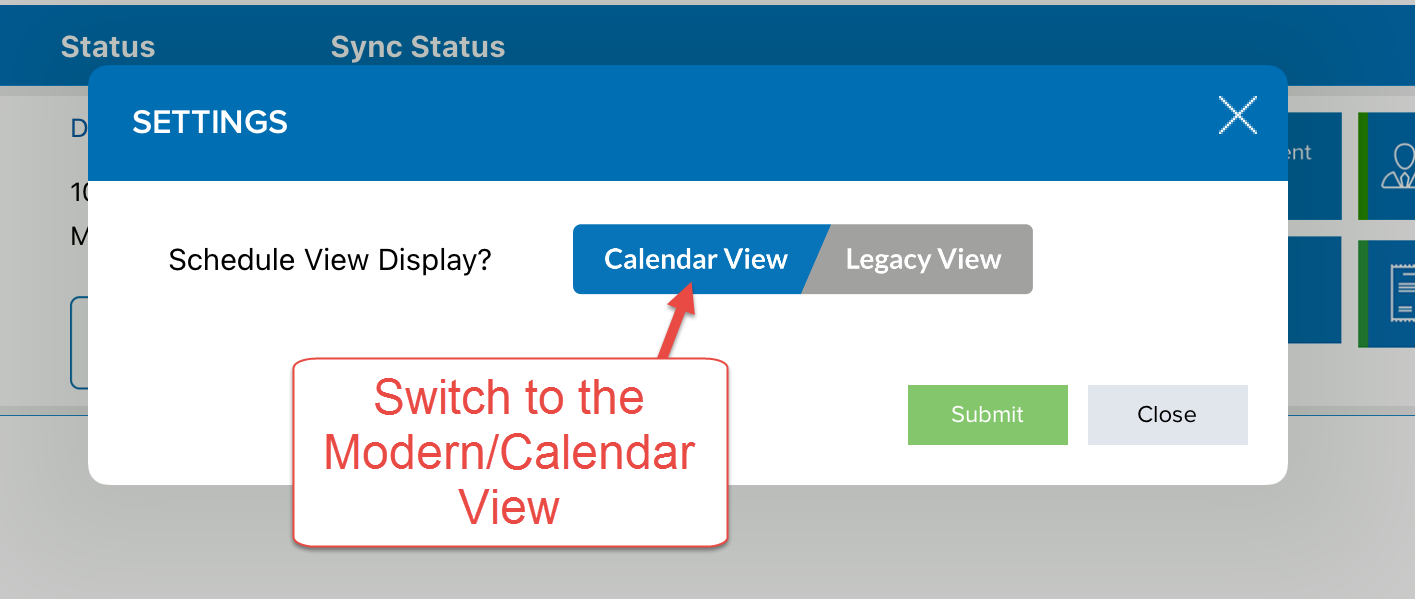
Switch to the Calendar View, click Submit
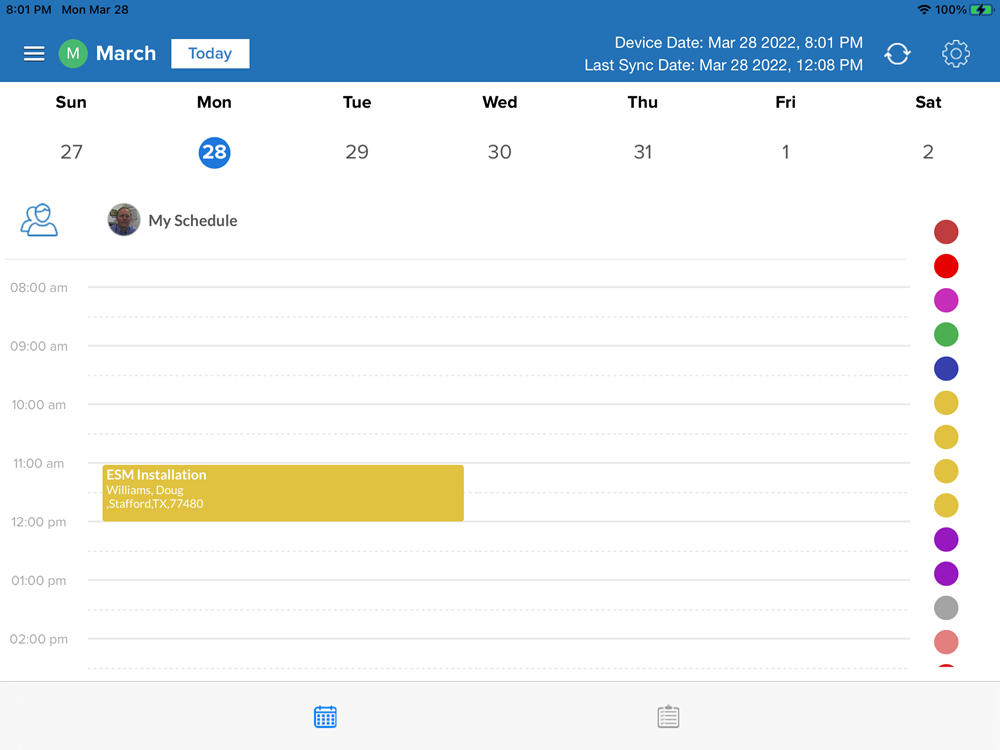
The New Calendar View
Notes
- If the technician activates the New Calendar View in the app, he can always change it back to the old view
- If the technician activates the New Calendar View in the app, he does not get any additional permissions or functionality.
- If you want to grant the Technician the permission to view other technician's calendars, this must be done in the Command Center by an administrator.
Comments
0 comments
Please sign in to leave a comment.